Xero, ServiceM8 and your files
TradeMate works on its own, or alongside what you've already got. Connections live in Settings → Integrations, and only the owner can change them.
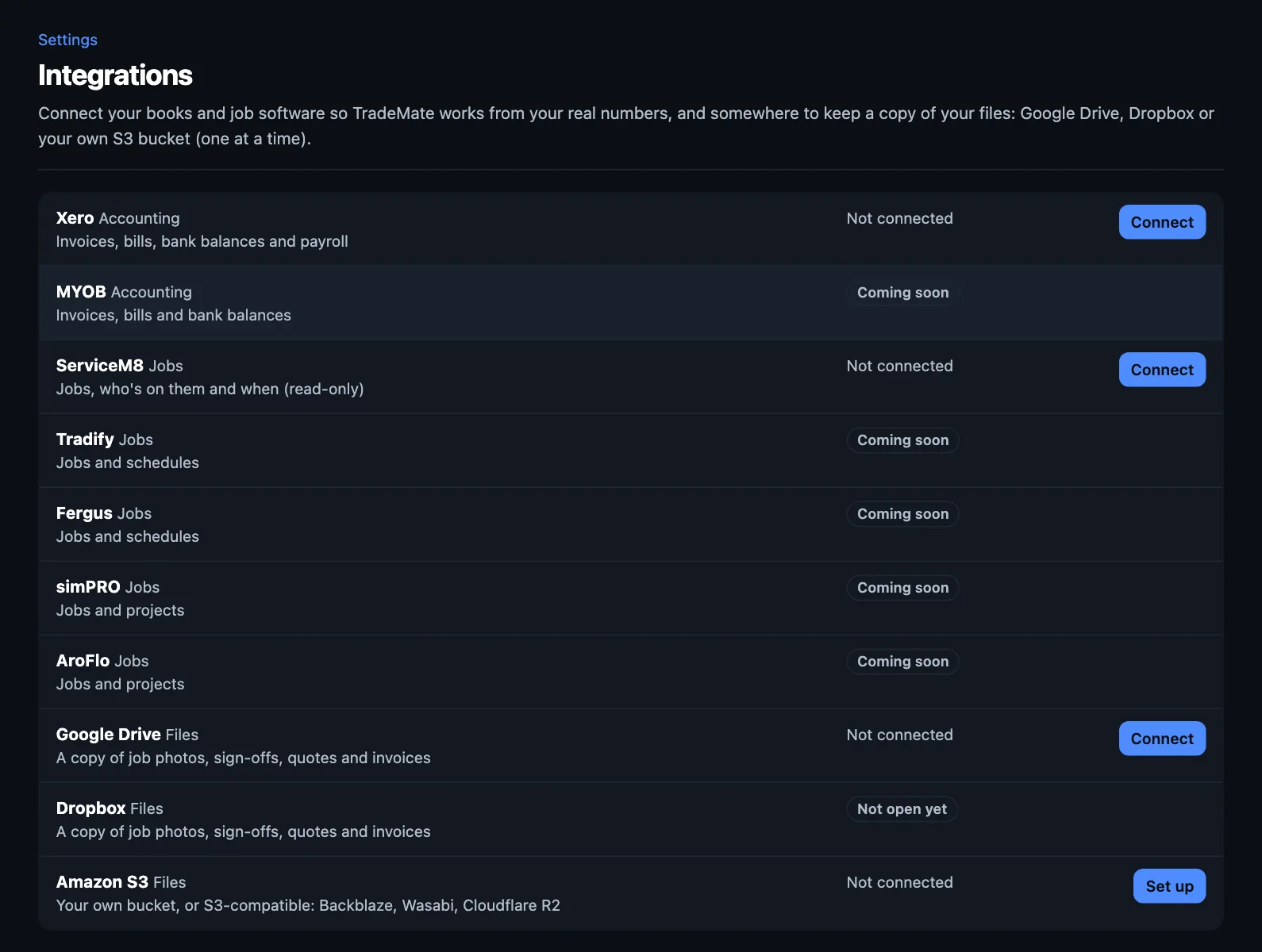
Xero
You don't need Xero: TradeMate keeps your quotes and invoices itself. If you use it, connect it, and Foreman works from your real numbers.
- Press Connect beside Xero.
- Sign in to Xero and choose your organisation. Allow access.
- You're back in TradeMate. Your first sync takes a moment.
What comes across
Contacts, invoices, bills, bank balances and payroll summaries. Your legal name, ABN, address, phone and GST come from Xero while it's connected, so change them there.
What goes to Xero
A copy of each invoice as it's sent, and your payments come back, so your books stay right. TradeMate does the sending, with its own PDF and a link to accept or pay. If you'd rather have Xero email them with its template, change it in Settings → Sending, texts and weather.
New customers
TradeMate won't add a new contact to your Xero without asking. There's a tick box when you send.
Disconnecting
Press Disconnect. What's already in TradeMate stays, and it just stops updating. If Xero's disconnected, TradeMate does the sending.
ServiceM8
Run your jobs in ServiceM8? Connect it and they show up in TradeMate: the jobs, who's on them and when. Foreman can then see how full you are. It's read-only, so keep booking and running those jobs in ServiceM8. They appear in TradeMate as they change, and time logged there counts as a job started.
ServiceM8 sends its own booking confirmations, so TradeMate's booking automations only apply to jobs booked in TradeMate.
Your files: Google Drive, Dropbox or S3
Keep your own copy of job photos, sign-offs, and quotes and invoices as PDFs. Connect one at a time.
- Google Drive or Dropbox: press Connect and sign in. TradeMate saves into its own folder, with a folder for each customer, and can only see the files it saves there.
- Amazon S3 (or a compatible one, such as Backblaze, Wasabi or Cloudflare R2): press Set up and enter your bucket's details. TradeMate saves a note there to check it works.
The page shows when it last saved, and what's waiting or couldn't be saved. If something didn't go, press Try them again.
Card payments
Card payments use your own Stripe account. See Taking card payments.
Coming soon
MYOB, Tradify, Fergus, simPRO and AroFlo show as Coming soon.
NextYour plan and billing →