Enquiries
An enquiry saves the back and forth about when to come out. TradeMate finds three free times and texts the customer a link. They tell you about the job and pick one, and their pick books the visit.
Send one
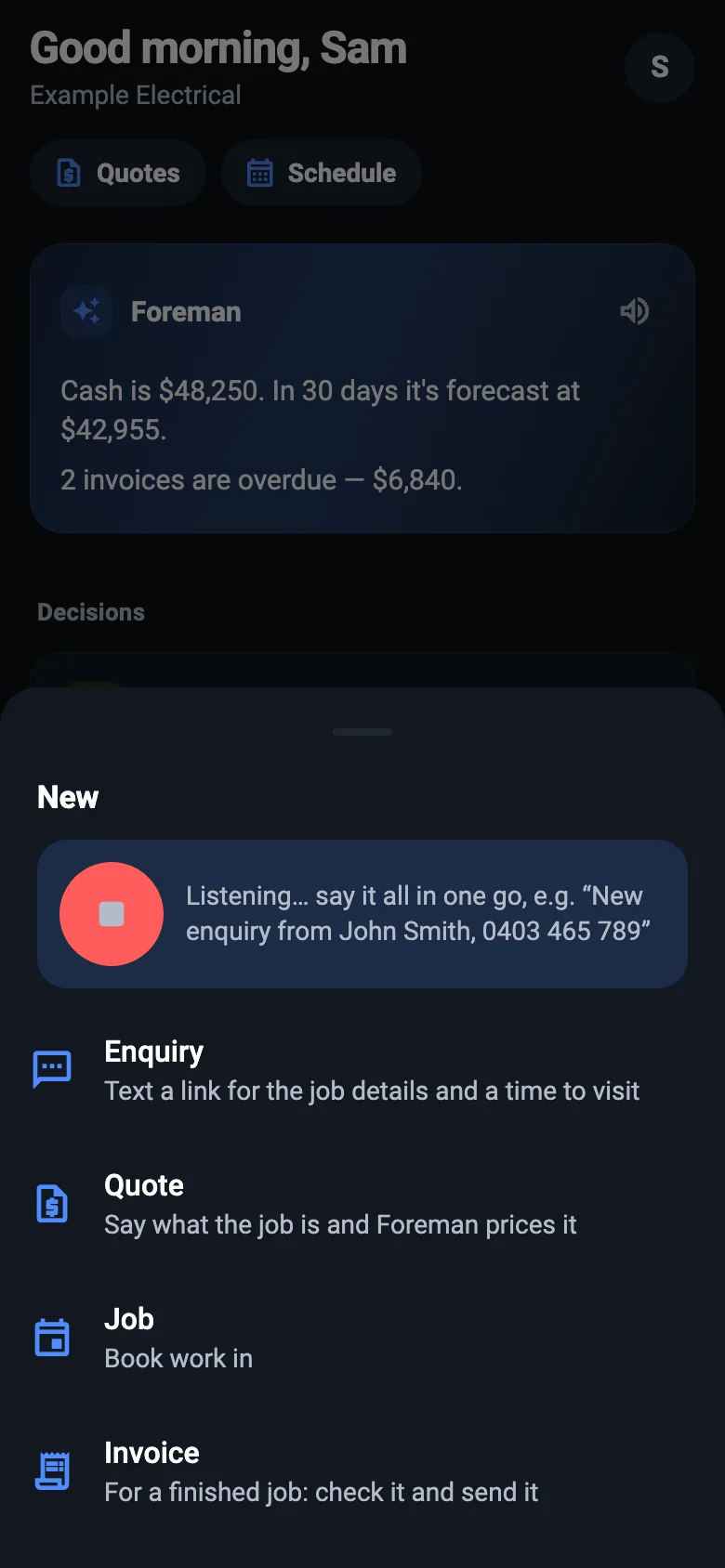
On the phone, press + and say it all in one go, such as "New enquiry from John Smith, 0403 465 789". Or tap Enquiry.
On the web, go to Pipeline → New enquiry, or open a customer and press Offer visit times.
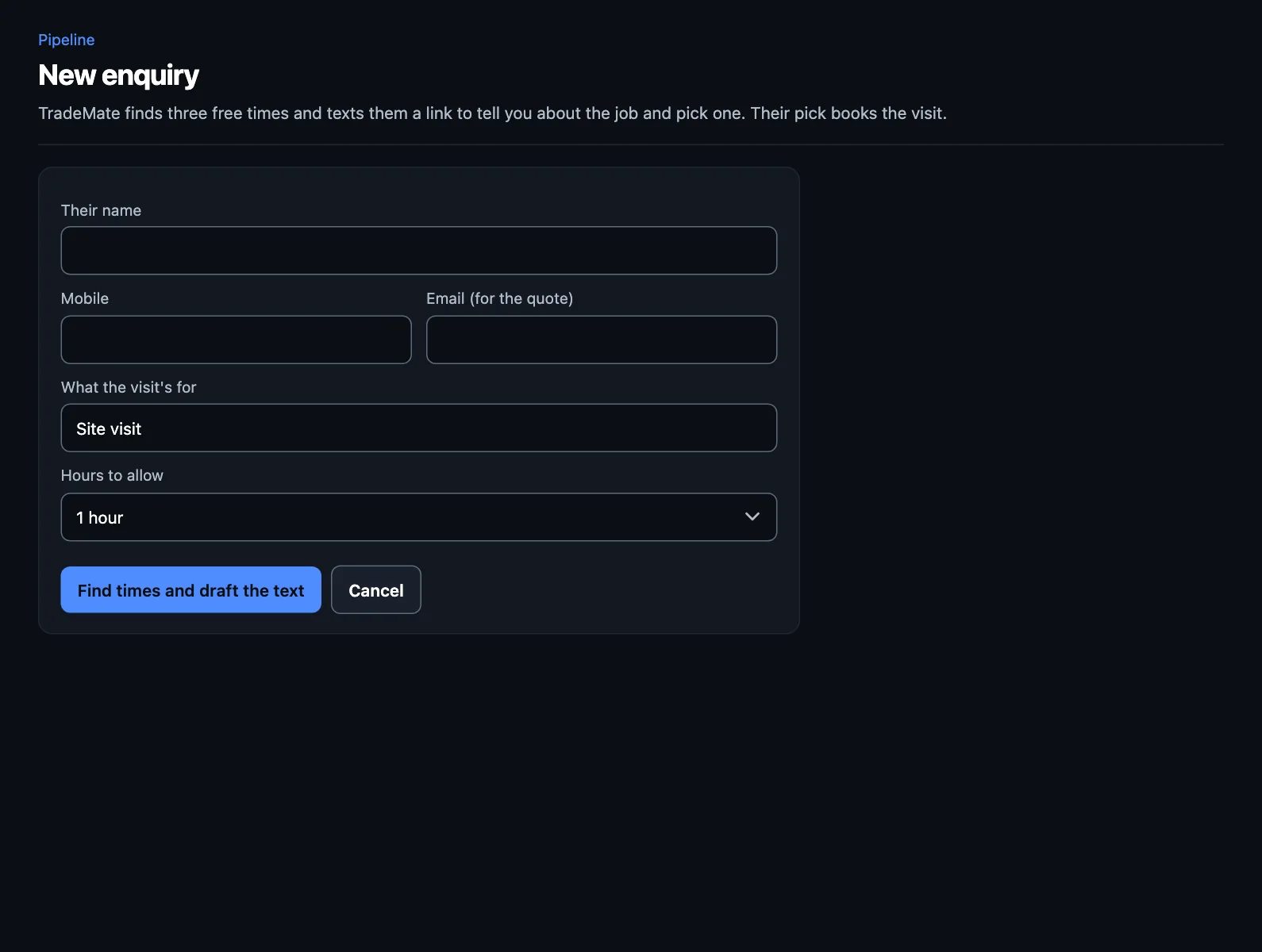
- Enter their name and mobile. Add their email if you have it, for the quote later.
- Say what the visit's for (it starts as "Site visit") and how many hours to allow.
- Press Find times and draft the text.
- Check the text, and send it. The times are held for them for a week, so nothing else gets booked over them.
What the customer does
They open the link on their phone, with no app or login. They say what needs doing and pick a time.
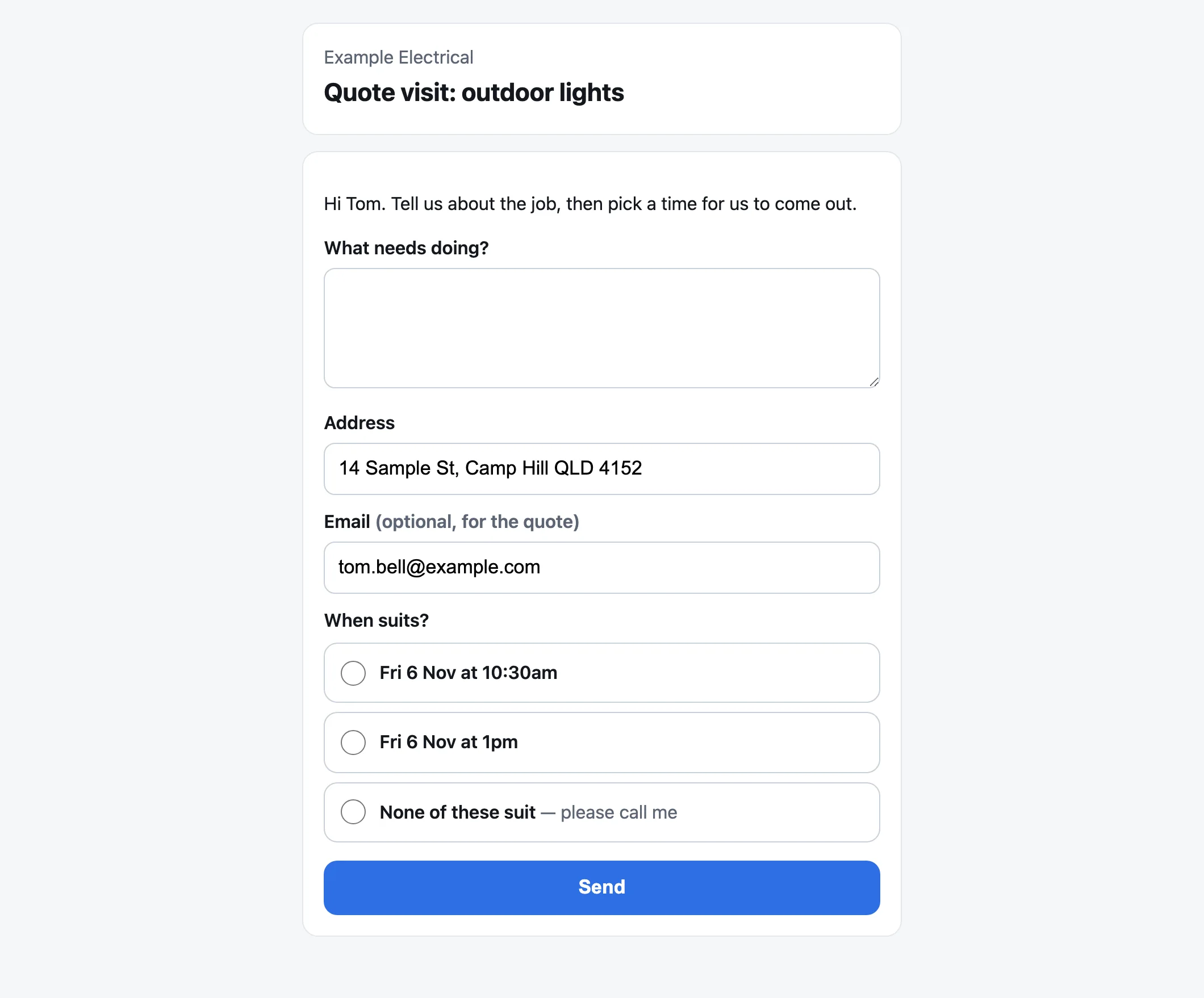
If none of the times suit, they can say so and you'll see they want a call back.
Keeping track
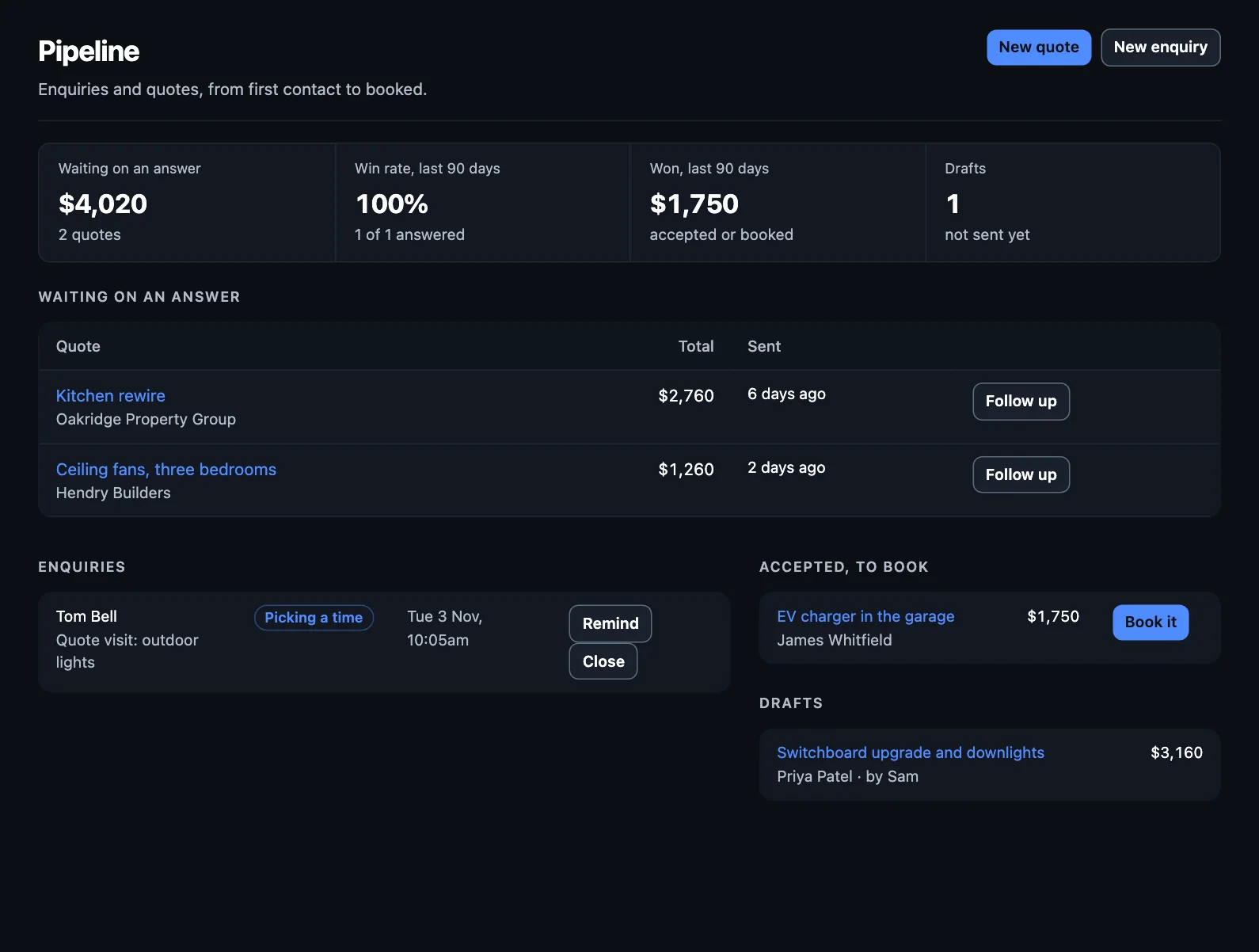
Enquiries from the last two weeks are in Pipeline, showing where each one's up to:
- Picking a time: sent, and waiting on them. Press Remind to nudge them.
- Visit and the time: they've picked, and it's in your diary.
- Call them: none of the times suited.
- Text didn't go: check the mobile number.
- Closed: you've closed it, as it's dealt with or not going ahead.
After the visit
The visit's a job like any other. Once you've had a look, quote the work.
Texts go to Australian mobiles only (04…). Each text TradeMate sends for you costs 10c, and your free trial includes 100. See your plan.