Today and Business Health
The first thing you see answers one question: what should I do next? On the phone it's Today. On the web it's Business Health. They show the same things.
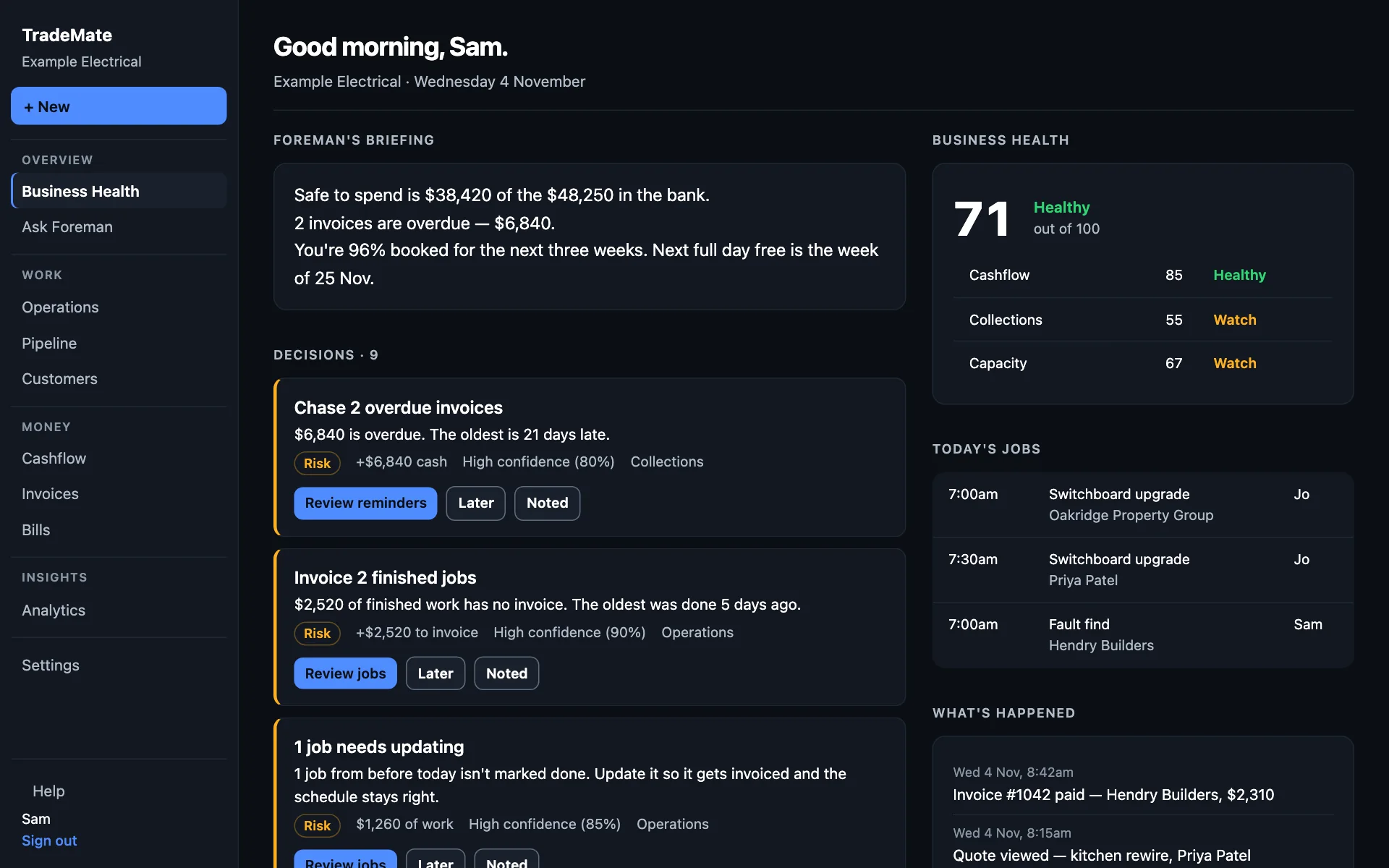
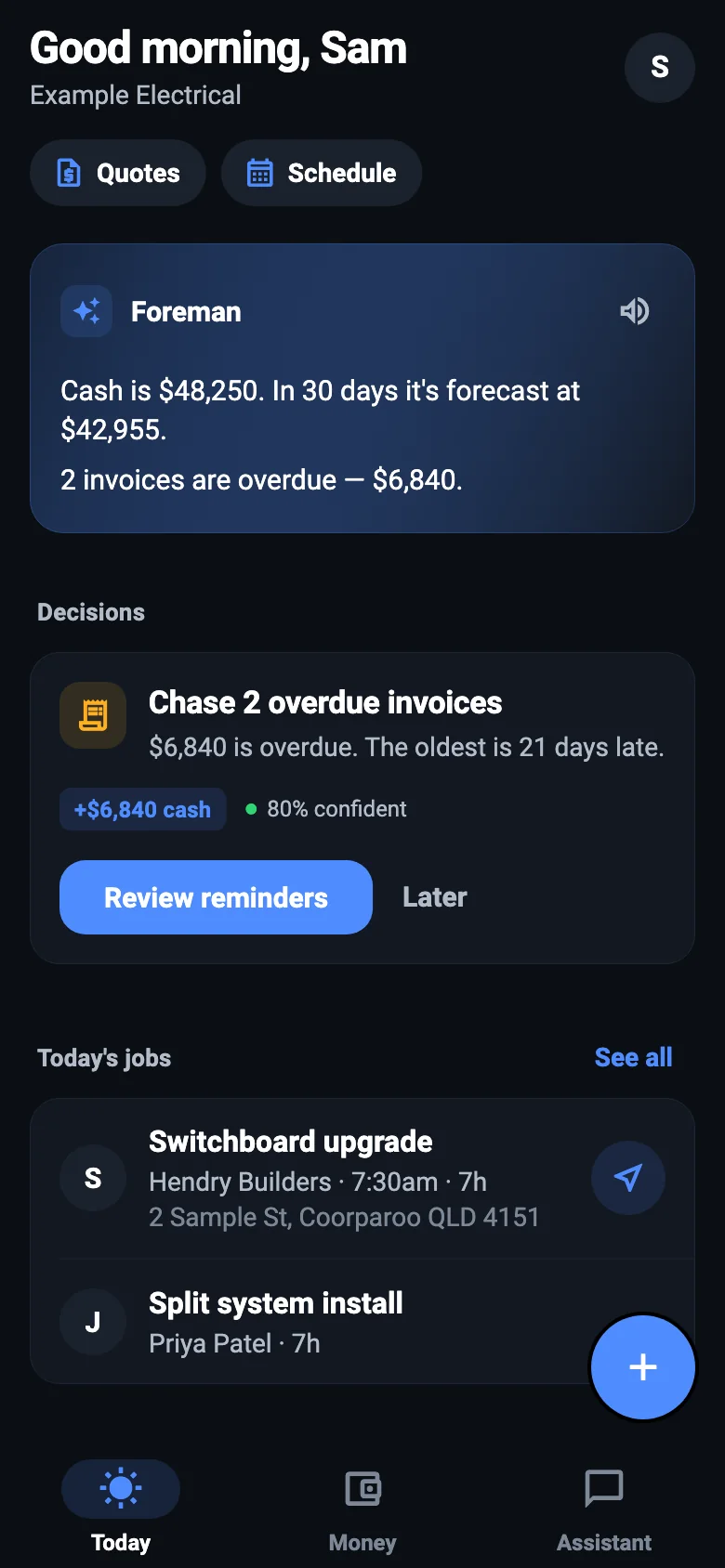
Foreman's briefing
Each morning Foreman reads your jobs, invoices, bills and bank, and tells you in plain words where things stand: your cash, who's late paying, how full you are. It's only as good as what he can see, so connect your books if you use Xero.
On the phone, Show the numbers under the briefing adds the figures behind it.
Decisions
Decisions are the things Foreman thinks need you, with the most important first. Each one says:
- What it is, such as "Chase 2 overdue invoices", and why he's raising it.
- What it's worth, such as "+$6,840 cash".
- How sure he is. High is 80% or more, medium 60 to 79%, low under 60%.
- What to do: a button that takes you to it.
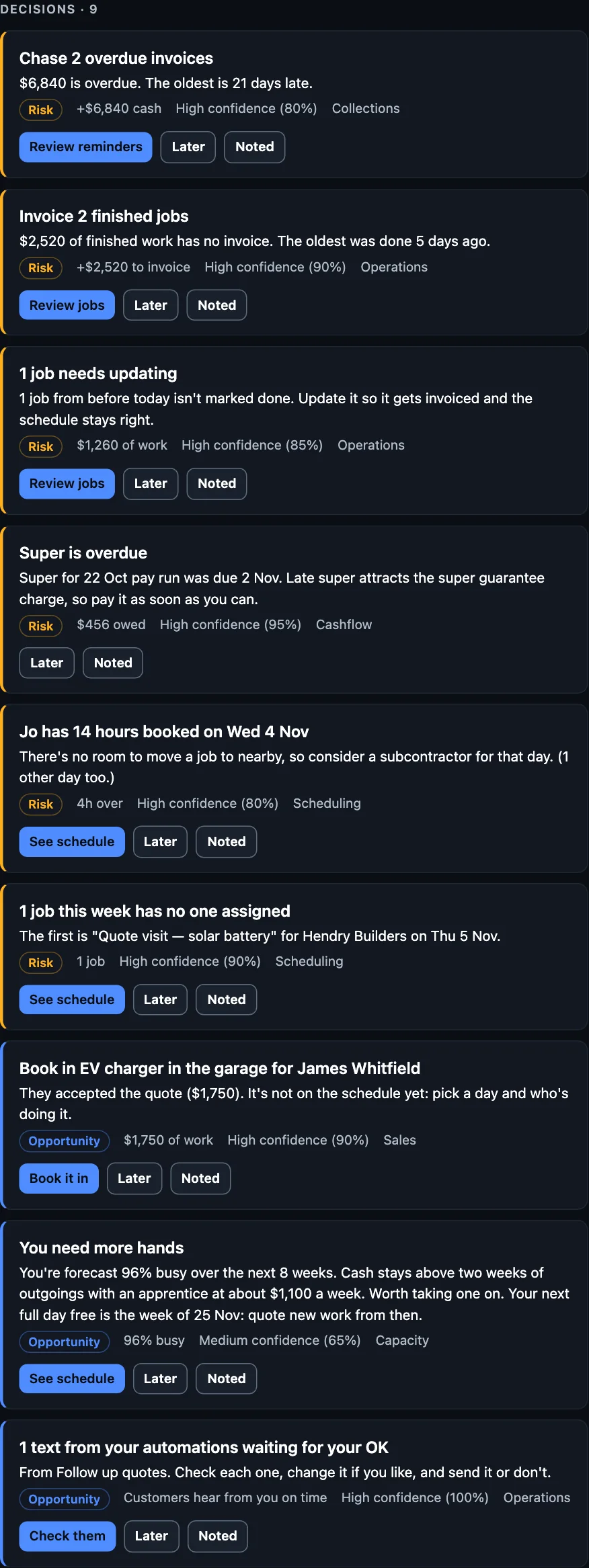
Press the action to deal with it, Later to see it again another time, or Noted if you've got it. Nothing happens to a customer or your money until you've checked it on the next screen and said yes.
Some of what Foreman raises: overdue invoices, finished work with no invoice, jobs that need updating, jobs with nobody on them, quotes to chase or book, running out of room, and rates that may need a look.
The Business Health score
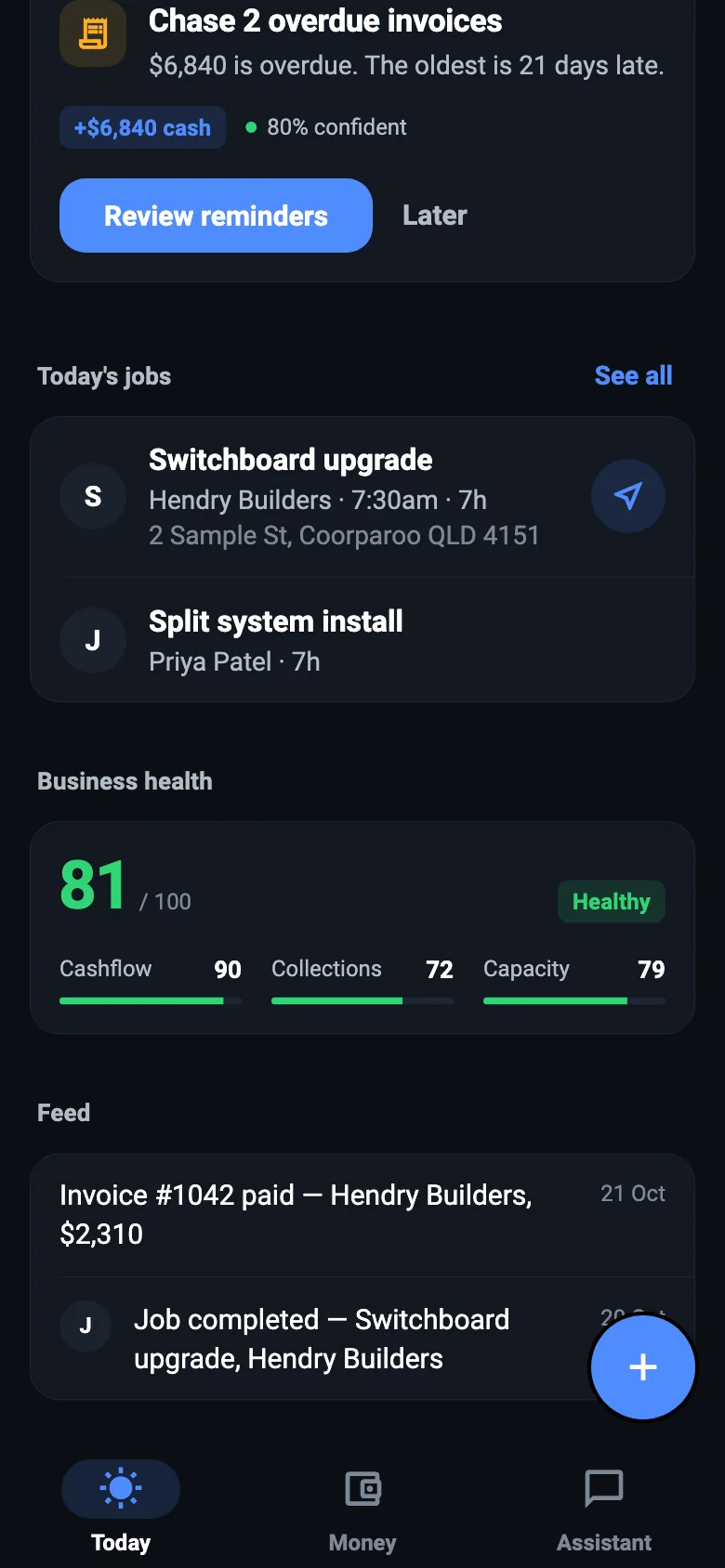
A score out of 100 for how the business is going right now, built from the parts it can measure for you, such as your cashflow, how quickly you're getting paid, and how full you are.
- 90 to 100, Excellent. Keep doing what you're doing.
- 70 to 89, Healthy. In good shape.
- 50 to 69, Watch. Something's slipping. Look at the part that's marked.
- 0 to 49, Critical. Needs attention now, and your decisions will say where to start.
Today's jobs
Who's on what today. Tap one to start it, finish it, move it or text the customer. On the phone, the arrow opens directions.
What's happened
The feed, or What's happened on the web, is a running list of what's come in: an invoice paid, a quote viewed, a job completed, a weather alert. You don't have to go looking.
The + button
From anywhere, the + button on the phone (or + New on the web) starts an enquiry, a quote, a job or an invoice. On the phone it listens straight away, so you can say it all in one go.
NextAsk Foreman →